
Compare Car Insurance Rates in Ohio
See if you qualify for a lower rate in less than 2 minutes



What Is a Car Insurance ID Card?
A car insurance ID card, sometimes called a proof of insurance card or insurance identification card, is a compact, wallet-sized document issued by your auto insurance company. It serves as official verification that you carry active car insurance coverage that meets your state's legal requirements.
Unlike your full policy documents, the insurance ID card is designed to be carried with you at all times. Most are the size of a credit card or a standard business card, making them easy to keep in your glove compartment or wallet. In today's digital world, many insurers also offer electronic versions accessible through their mobile apps, and as of 2026, 49 states plus Washington, D.C. legally accept an electronic copy of your insurance card on a mobile device during a traffic stop, with New Mexico as the only state where officers are not required to accept digital proof. Massachusetts is a procedural exception where insurance information is printed directly on the vehicle registration document, which serves as proof of coverage rather than a separate insurance card.
What Information Appears on a Car Insurance ID Card?
Every insurer formats their cards slightly differently, but all standard car insurance ID cards include the same core information required for legal proof of coverage. Here's a breakdown of what you'll find on yours:
| Field | What It Means |
|---|---|
| Policyholder Name | The name of the primary insured driver on the policy |
| Policy Number | A unique identifier for your specific policy |
| Effective Date | The date your current coverage period began |
| Expiration Date | The date your current coverage period ends |
| Vehicle Year, Make & Model | The specific car(s) covered under this policy |
| VIN (Vehicle Identification Number) | A 17-character code unique to your vehicle |
| Insurance Company Name | Your insurer's official business name |
| Insurer Contact Info | Phone number and/or website for claims or emergencies |
Some cards may also display your agent's contact information or a brief note about the types of coverage included. However, specific coverage limits and deductibles are not shown on the ID card. Those details live on your declarations page.
Some states have additional formatting rules. New York requires each card to bear the title "New York State Insurance Identification Card" and to display the registrant name(s) exactly as they appear on the vehicle registration. Cards must be computer issued, consist of at least two identical parts sized between 5 and 8.5 inches wide, and include an encrypted 2D barcode along with the insurer code, insurer name, insured's address, policy number, effective date, and vehicle description with VIN. New York insurers must also provide two identical ID cards per vehicle or access to an electronic version, and cards used for historical or tow truck vehicles must be labeled accordingly. New Jersey requires the heading "State of New Jersey Insurance Identification Card" along with the insurer's code, the issuing office address, and (for policies subject to PIP rules) a medical treatment notification address on the reverse. Pennsylvania accepts either an ID card or a signed binder that contains all the same information except the policy number. Connecticut requires the name on the policy to match the driver's license exactly, along with the insurance company's NAIC number and an agent phone number.
Insurance ID Card vs. Declarations Page: What's the Difference?
These two documents are often confused, but they serve very different purposes. Understanding the difference between your insurance ID card and declarations page comes down to simplicity vs. detail:
The insurance ID card is what you show a police officer, at the DMV, or after an accident. The declarations page is what your bank requires when financing a car, and what you review to understand your coverage in detail. It's also worth noting that several states have updated their minimum liability coverage requirements recently. California's Protect California Drivers Act (Senate Bill 1107) took effect on January 1, 2025, raising the state's minimum liability limits to 30/60/15, up from the 15/30/5 that had been in place for decades. Utah moved to 30/65/25, Virginia to 50/100/25, and North Carolina to 50/100/50 (effective July 1, 2025). New Jersey followed with a raise to 35/70/25 on January 1, 2026, and Hawaii doubled its minimums to 40/80/20 the same day under Act 138 (SB 2342). Your ID card won't reflect these limit changes, but your declarations page will. To keep up with state-specific rules, see the latest vehicle registration requirements by state.

Compare Car Insurance Rates in Ohio
See if you qualify for a lower rate in less than 2 minutes
When Do You Need to Show Your Car Insurance ID Card?
There are several key situations where having your ID card on hand is legally required or strongly recommended:
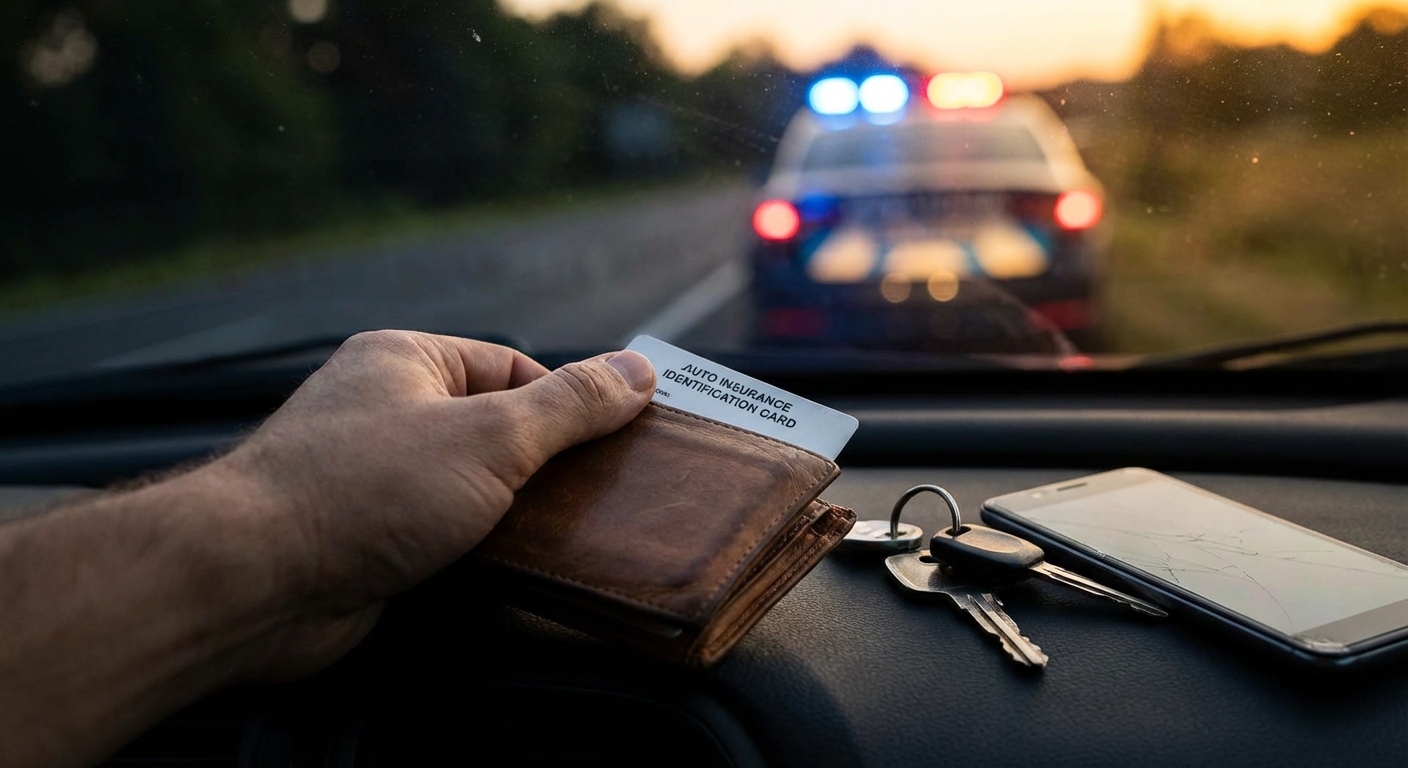
- Traffic stops. A police officer can request proof of insurance at any time. Failure to provide it can result in fines, a citation, or even suspension of your registration.
- Vehicle registration at the DMV. Most states require proof of insurance to register or renew registration for your vehicle. Learn more about how car insurance and vehicle registration are linked in your state.
- After an accident. You'll need to exchange insurance information with other drivers and provide it to responding officers and your own insurer. You can also verify another driver's coverage if needed.
- Purchasing or leasing a car. Dealerships typically require proof of current coverage before you drive off the lot.
- Parking violations or impoundment. Some jurisdictions require insurance proof to reclaim an impounded vehicle.
- Proof of residency situations. In some cases, your insurance documents can even help serve as proof of residency when opening accounts or applying for services.
What Happens If You Can't Show Your Card?
Penalties for failing to produce proof of insurance at a traffic stop vary significantly by state. In most cases, there's an important distinction between simply not having your card on you (while actually being insured) versus truly driving without coverage:
| Situation | Typical Outcome |
|---|---|
| No card, but insured | Minor citation (often $25 to $100); many states dismiss it if you later provide proof |
| No insurance at all | Fines ranging from $50 to $5,000+, possible license/registration suspension, SR-22 requirement |
| Repeat offense | Higher fines, longer suspensions, potential jail time depending on the state |
Here's how some states stack up for first-offense penalties in 2026 when caught driving without any coverage at all:
| State | 2026 First-Offense Penalty | Additional Consequences |
|---|---|---|
| Alabama | $500 to $1,000 fine | Registration suspension; SR-22 required; possible 3 to 6 months jail |
| California | $100 to $200 (assessments often push total past $450) | Suspension possible; SR-22 may be required |
| Delaware | Up to $1,500 to $2,000 fine | Suspension |
| Illinois | $500 to $1,000 fine | License and registration suspension; SR-22 required |
| Michigan | Up to $50 civil infraction for failure to produce card | No points on license |
| New York | $150 to $1,500 fine | Possible 15 days jail; suspension |
| North Carolina | $50 civil penalty plus reinstatement fees | 30-day registration suspension |
| Pennsylvania | Flat $300 fine plus 3-month suspension of registration and license | Reinstatement fees |
| Texas | $175 to $350 statutory fine (assessments push total higher) | Up to 2-year suspension for repeats; $250 annual surcharge for 3 years |
| Virginia | $500 fine | Suspension; SR-22 required |
First-offense fines can reach up to $5,000 in states like Massachusetts and West Virginia, with license suspensions typically lasting 30 to 90 days for a first offense. Even if you're insured, always having your ID card accessible (physical or digital) keeps you from dealing with unnecessary citations and court appearances. A lapse in coverage can also trigger SR-22 requirements and raise premiums by 30% or more, with typical increases of 8 to 11% for short lapses and 45 to 60% for gaps of 45 to 60 days.

Protect your car with Farmers
Average Rate:
Find coverage options that fit your budget.

The insurance savings you expect.
Average Rate:
Enjoy personalized policies, comprehensive coverage & more.

See how much you could save today!
Average Rate:
Drivers who switch their auto insurance and save with State Farm save $764 on average!

Safe Drivers Save with Allstate®
Average Rate:
Get rewarded with savings for having a clean driving record.
Digital vs. Physical Insurance ID Cards
As of 2026, 49 states and the District of Columbia permit drivers to show an electronic copy of their car insurance card on a mobile device during a traffic stop, with New Mexico as the only state where electronic proof is not explicitly accepted. A digital card in your insurer's app is just as valid as the paper card your insurer mailed you in nearly every jurisdiction. Learn more about digital proof of car insurance acceptance rules and how to use them in various situations.
How Major Insurers Provide Digital Cards
All four of the largest auto insurers (GEICO, State Farm, Progressive, and Allstate) offer digital ID cards through dedicated mobile apps and online account portals. To add a GEICO card to Apple Wallet, sign in to the GEICO Mobile app, tap View ID Cards, then tap Add to Apple Wallet. Once added, the card remains available offline. State Farm, Progressive, and Allstate follow similar models through their own apps and online portals, and most support Apple Wallet as well.
| Insurer | Digital Access Method |
|---|---|
| GEICO | GEICO Mobile app; downloadable from online account; supports Apple Wallet |
| State Farm | State Farm app; "My Accounts" online portal; email delivery upon request |
| Progressive | Online account ("Get your ID card"); view, save, print, or email instantly |
| Allstate | Allstate app and My Account portal; 24/7 access; printable |
Digital cards are automatically updated when your policy information changes, eliminating the risk of carrying an outdated paper card. You can also typically access your saved card even without an active internet connection through your insurer's app.
Digital vs. Physical: Pros and Cons
How to Get or Replace Your Car Insurance ID Card
Whether you're getting your card for the first time or need a replacement, here are your options:
| Method | How to Do It | How Fast? |
|---|---|---|
| Mobile App | Open your insurer's app and navigate to ID cards | Instant |
| Online Portal | Log in to your account and download/print | Instant |
| Some insurers email a digital card upon purchase or request | Within minutes | |
| Fax | Available with some insurers like Progressive | Within minutes |
| Phone Call | Call your insurer's customer service line | Mailed in 7 to 10 business days |
| By Mail | Request through your online account or agent | 7 to 14 days via USPS |
If you need proof immediately, say for a DMV appointment or a dealership visit, a printed card from your online account is universally accepted. For states that allow digital proof, pulling it up on your insurer's app takes seconds. If you need a physical card mailed to you, most providers deliver within 7 to 14 days via standard mail.
Common Mistakes People Make With Insurance ID Cards
Even careful drivers slip up when it comes to their insurance card. Here are the most frequent (and costly) errors to avoid:
- Carrying an expired card. Your insurer sends new cards at each renewal. Make it a habit to swap the old one out immediately, or rely on your insurer's app for always-current access.
- Not updating the card after buying a new car. Your current policy may temporarily cover a new vehicle, but your ID card won't reflect the correct info. Request a new card right away since most insurers allow you to generate one instantly through their app.
- Not having any card at all. Whether digital or physical, always have access to your proof of insurance. Getting caught without it at a traffic stop can result in fines even if your policy is active.
- Assuming a declarations page works. In most states, a dec page does not fulfill a roadside proof-of-insurance request. Know the difference.
- Printing an unofficial copy. In some states, cards must come directly from your insurer (by mail or official app). Always use the official ID card download from your insurer's portal or app rather than a screenshot of a policy document page.
- Ignoring minimum coverage updates. Several states raised their required minimums in 2025 and 2026, including California, Utah, Virginia, North Carolina, New Jersey, and Hawaii. While your insurer will adjust your policy automatically, confirm your card and coverage are still current after these changes. You may also want to verify your coverage is properly on file with your state's DMV database.
Frequently Asked Questions
What is a car insurance ID card used for?
A car insurance ID card is used as legal proof that you carry active auto insurance coverage. You'll need to present it during traffic stops, vehicle registration at the DMV, after an accident, and in some cases when purchasing or picking up a vehicle from a dealership. It confirms your policy is active and provides key contact information for your insurer. It is not a substitute for your full policy documents or declarations page.
Is a digital insurance card the same as a physical one?
In most situations, yes. A digital insurance ID card displayed on your smartphone holds the same legal weight as a physical card in 49 states plus Washington, D.C. New Mexico is the notable exception, where officers are not legally required to accept digital proof, and Massachusetts uses the vehicle registration document instead of a separate insurance card. Always keep a backup option available, such as a downloaded card in Apple Wallet, in case your phone isn't accessible.
How do I get a replacement car insurance ID card if I lose mine?
If you've lost your insurance card, you can get an instant replacement by logging into your insurer's website or mobile app, where you can download and print a new one immediately. Major insurers like GEICO, State Farm, Progressive, and Allstate all offer this through their apps or online account portals. If you need a physical card mailed to you, contact your insurer directly since most providers deliver within 7 to 14 days via standard mail.
What is the difference between an insurance ID card and a declarations page?
An insurance ID card is a compact document used as quick proof of coverage, and it's what you show at traffic stops or the DMV. A declarations page is a detailed policy summary that lists your coverage types, limits, deductibles, and premiums. In most states, the declarations page is not an acceptable substitute for the ID card in roadside situations, and lenders typically require the declarations page (not the ID card) when financing a vehicle.
Can I be fined for not having my insurance card?
Yes. If you are stopped by law enforcement and cannot provide proof of insurance (whether physical or digital) you may face fines or a citation, even if your policy is actually active. Fines for simply not having the card on you when you are insured are often minor ($25 to $100) and may be dismissed if you later provide proof. The safest approach is always having your insurance ID card accessible, either on your phone through your insurer's app or in your glove compartment.